
Residential Services
Video Intercom Installation in Phoenix, Arizona
See who’s at the front door before you answer with a video intercom.
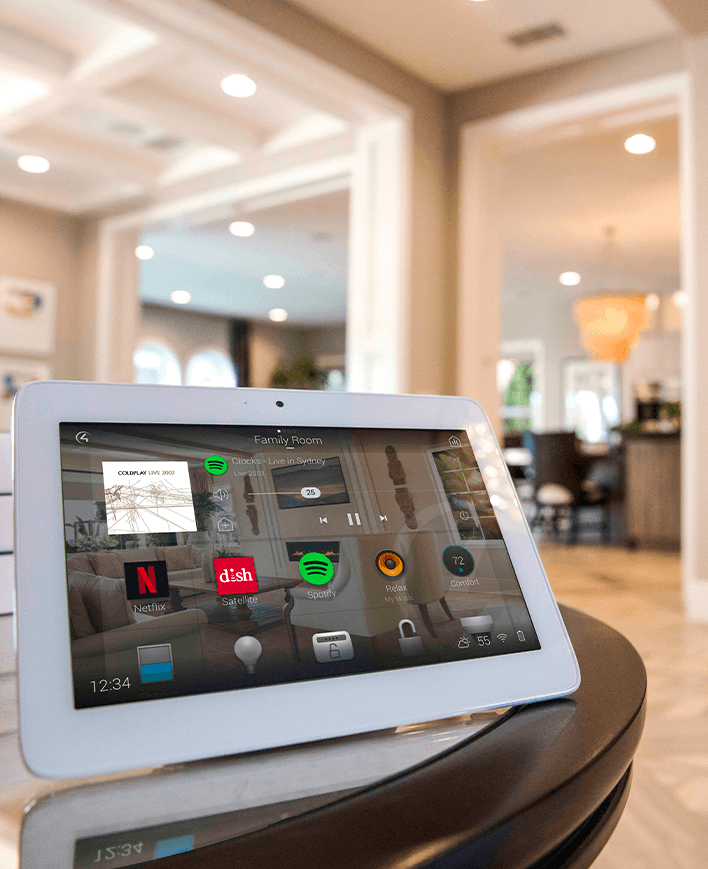
Intercom Solutions

Enhance communication within your household effortlessly. Our advanced intercom solutions for homes bridge spaces with clear, instant connections, ensuring every message is heard.
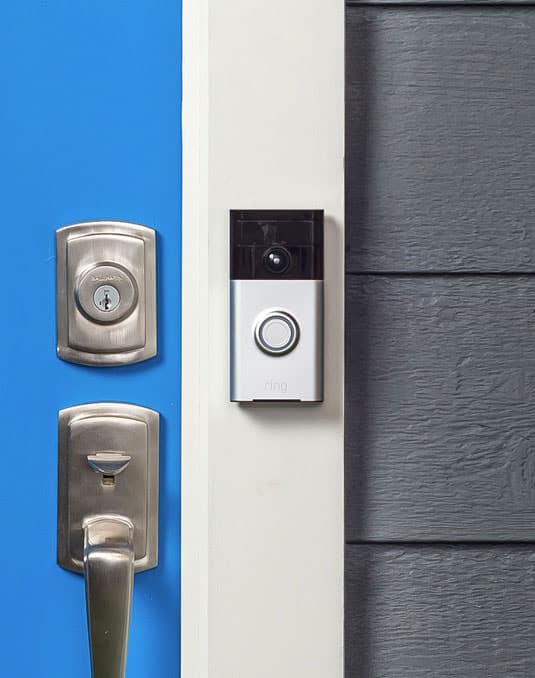
See and speak to visitors from a convenient place
A video intercom brings communication to the places where you spend time. Instead of walking to the front door for every ring, you can see a visitor and speak from a compatible indoor screen or supported mobile device. For a property with a gate, an entry station can provide a conversation before someone reaches the house.
The first design decision is who should receive the call. A kitchen screen, an office display and selected phones may serve different needs. A useful arrangement makes calls noticeable where they matter without ringing every room during a meeting or waking a sleeping household member.
Intercom features differ across products. A video doorbell, a dedicated door station and a room-to-room system are not interchangeable simply because each has a camera. Decide whether you need visitor conversation, indoor calling, remote answering or supported access control, then confirm each function in the proposed combination.
Automate Your Home Today!
Transform your living space into a smart home, where convenience and efficiency are just a touch away.
What We Do
Video Intercom
Video intercom is a great addition to any home. See who’s at the front door before you answer. Chat with the kids in the playroom, from anywhere. Answer the door, even when you are not home. Set-up a room monitor so you can keep an eye on the kids playing in the other room. All of this and more right at the tip of your fingers. Let us show you the benefits of video intercom.
Plan the entry station around the real doorway
Camera position determines what you can actually see. Consider a visitor’s standing position, the height and angle of the station, and the contrast between a shaded entry and a bright exterior. Test the proposed view rather than relying on a wide-angle specification. Two-way audio also deserves attention where traffic, wind or fountains create background noise.
For Phoenix properties, confirm the manufacturer’s operating-temperature range and installation requirements for the exact location. Sun exposure can make a surface hotter than the surrounding air. An outdoor-rated product still needs suitable mounting, power and protection from the conditions identified in its instructions.
Connectivity should be reviewed at the door or gate itself. A wired station may require network cable, compatible power equipment and a planned route back to the house. Wireless options need dependable coverage at their final position. Remote answering can add internet, account and subscription requirements; those should be clear before the system is selected.
Three details that make an intercom work for your household
Describe each entry you want to cover, where you would like to answer, and whether you need communication while away. Photos of the doorway, gate and existing doorbell equipment help establish the installation questions early.
1. Choose the answering points and call behavior
Decide which screens or phones receive a door call and how indoor room calls should work. Review volume, do-not-disturb preferences and notification settings. An auto-answer function, where offered, should be an intentional choice. Test the arrangement with each household user rather than assuming one person’s phone settings apply to everyone.
2. Keep communication and access decisions distinct
Seeing a visitor does not need to open a door or gate automatically. If access control is part of the project, confirm compatible hardware, permissions and the action needed to release it. Agree who may use that function and what information is visible to them. Integration should support a deliberate decision by the user.
3. Specify recording, power and ongoing service
Live conversation and recorded video are separate capabilities. Identify whether the selected system records, where footage is stored and whether a plan is required. Include cabling, power and gate-distance considerations in the scope. During setup, test calling, picture, audio and notifications under normal daytime and nighttime conditions.
What We Do
Our Audio Video Services
A fully integrated AV system requires an in-depth design procedure to assure that all of the components
and sub-systems work together properly. Without a proper design, you may be subject to hidden charges later.


AV Design and Installation
A fully integrated AV system requires an in-depth design procedure to assure that all of the components and sub-systems work together properly.
View Service


Home Theater
Love watching movies? Hate going to the theater? Let us show you how we can design and install a state of the art theater in your home.
View Service


Home Automation
“Everybody does Home Automation now. I can even get it through my alarm.” Sound familiar? Can you get Home Automation through your alarm?
View Service


Whole House Audio
Music throughout is an awesome addition to any home. Play your favorite playlist throughout your home while you clean.
View Service


Distributed Video
Every start watching a movie in the family room, then decide to finish it in the master bedroom? Video Distribution fixes this issue.
View Service


Surround Sound
Do you ever think that surround sound is “too loud”? We hear this a lot. However, surround sound is no “louder” than TV sound.
View Service


Surveillance and Cameras
We all hope we never need a camera to record an event around our home. However, far too often, we do.
View Service


Computer Network and Wifi
Whether you have a full home automation system or just kids with electronic devices, the network keeps everything humming.
View Service


Audio Video Service and Repair
Don’t leave your entertainment system to just anyone. Hire the experts to make it right.
View Service


High End Audio
We can design a system that will tickle your ear while stroking your budget.
View Service


Lighting Control
Let your imagination (and a little direction from us) lead you to lighting ecstasy.
View Service


HVAC Control
HVAC control can save you enough money every year to pay for its self, four times over.
View Service


Window Coverings and Motorized Shades
You can open one or all your shades, with just a simple button press.
View Service









Testimonials
What Our Customers
Say About Us
Video intercom questions answered
Is a video intercom the same as a video doorbell?
Some functions overlap, but a doorbell may not support indoor room-to-room calling or the screens used by a dedicated intercom platform. Compare the actual call destinations, control integrations and recording options. Choose around the functions you need rather than treating the product names as a guarantee of capability.
Can I answer the door while away from home?
That can be available through compatible hardware and a supported mobile service. It requires the appropriate internet connection, account setup and sometimes a subscription. Notification permissions and phone connectivity affect whether you receive the call. Ask for a demonstration of the exact remote-answering arrangement before relying on it.
Can a video intercom open a gate or unlock a door?
Some systems can integrate with compatible access hardware, but that is a separate design decision. The installer needs to confirm the equipment and supported control method. Agree on user permissions and how an opening command is authorized. A visitor’s doorbell press should not be assumed to trigger automatic access.
Does the system record every intercom conversation?
Not necessarily. Live video calling, event history and stored recordings are different features. Recording depends on the chosen hardware, service and configuration. Confirm what is captured, who can retrieve it and how long it is retained. If ongoing surveillance is the main objective, discuss a dedicated camera system alongside the intercom.
Can I stop calls from ringing in certain rooms?
Many platforms provide call groups, device preferences or do-not-disturb settings, but the choices vary. For example, Control4 documents do-not-disturb preferences for supported screens and mobile devices. Plan quiet rooms and answer locations during setup, then check the household’s actual phones and displays to confirm the intended behavior.
A dependable intercom design begins with clear communication needs and a realistic understanding of the selected hardware. These questions help define the system before equipment is ordered.
Audio Video by Design has more than 20 years of audio video experience. Learn about our team and explore our project gallery before planning your next step.
Phone Number
(480) 242-6459Office Address
30249 N. 124th Lane,
Peoria, AZ 85383
SEND US A MESSAGE


