
Residential Services
Audio Video Service and Repair
Don’t leave your entertainment system to just anyone. Hire the experts to make it right.
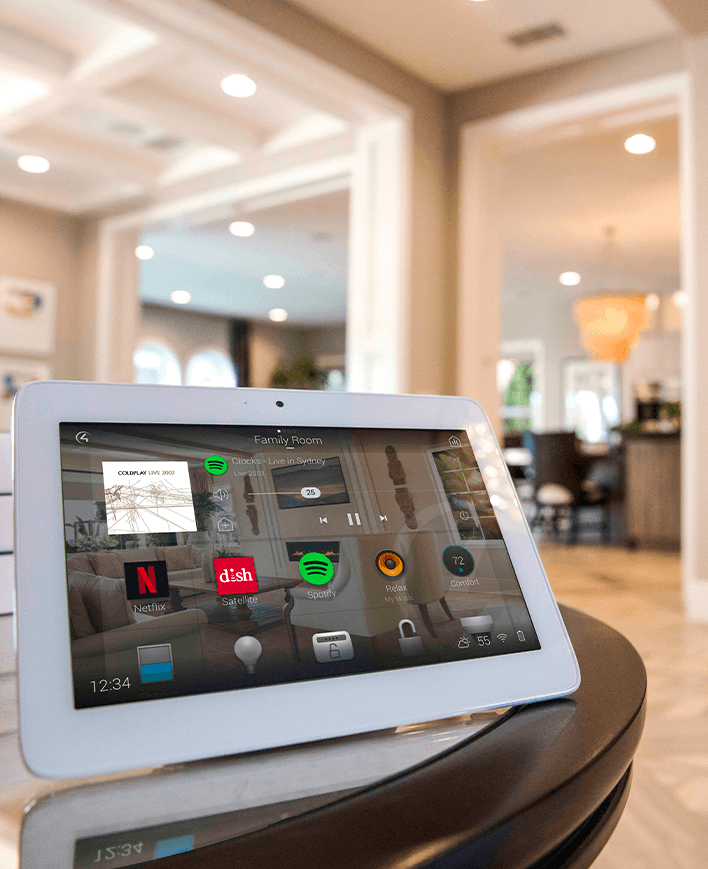
Audio Video Repair Solutions

Experience seamless entertainment with our top-tier audio-video service and repair – ensuring your system sounds and looks its best, every time.

Find where the problem begins
An AV problem often appears at the screen or speakers even when its cause is elsewhere. A blank picture may involve a source, input setting, cable, receiver or display. Intermittent music may involve a streaming service, network connection or control setting. Replacing the most visible component before understanding the signal path can leave the original issue unresolved.
Useful diagnosis separates the symptoms. Does the problem happen with every source or only one? In every room or a single zone? After the system has been running for a while, or immediately when it starts? Those distinctions help narrow the work and make a service visit more productive.
Audio Video by Design provides audio video service and repair for Phoenix-area homeowners. Share the equipment and symptoms when requesting help so that the appropriate support can be discussed. Some faults call for a connection or configuration change; others may involve failed equipment, discontinued services or a device that no longer supports the desired feature.
Automate Your Home Today!
Transform your living space into a smart home, where convenience and efficiency are just a touch away.
What We Do
Audio Video Service and Repair
Audio Video by Design has knowledgeable staff with years of experience. Having an issue with your current audio video system? We have probably seen it before. That means that we are more equipped to effectively and efficiently solve the problem than your “neighbors cousin that knows a lot about this stuff”. Don’t leave your entertainment system to just anyone. Hire the experts to make it right.
Decide what is worth keeping
A service call is an opportunity to understand the system you already own. Well-placed speakers, suitable cabling and a functional display may remain useful even when a source or control platform needs attention. The decision should consider the affected part and its role in the whole system, rather than assuming everything must be replaced together.
Older equipment introduces specific questions: are replacement parts available, is the software supported, and do its connections handle the formats you use? A repair may restore an existing function without adding newer capabilities. An upgrade may resolve a compatibility issue, but it should fit the room, wiring and household controls.
Before major resets or changes, discuss the existing configuration. A factory reset can remove settings and account information needed to restore operation. Keep useful documentation, model numbers and owner access details available. If equipment is overheating, damaged or showing an electrical fault, stop using it and request appropriate service instead of repeatedly forcing it to restart.
Help us understand your service request
With more than 20 years of audio video experience, Audio Video by Design brings an informed approach to existing systems. Clear information helps determine the right next step and any limitations before work begins.
Describe what changed
Note when the problem started and whether it followed a new device, Internet-provider change, power interruption, app update or altered setting. Include any messages on the screen and the steps that trigger the fault. An intermittent issue is easier to investigate when its pattern is documented; a photo or short description can be more useful than calling the entire system broken.
Identify the equipment and connections
Provide model numbers for the affected display, receiver, sources, speakers or controller. Photos of the equipment cabinet and visible connections can help describe the setup. Include any previous system documentation and mention whether equipment is difficult to access. Do not post passwords in a service request; arrange any necessary account access through an appropriate process.
Separate restoration from improvements
Explain whether you want to restore an existing function, simplify operation or add a new capability. Those are different scopes. Discuss diagnosis, possible parts or replacement needs, and whether additional work would require a revised proposal. If an older platform limits the available options, prioritize the functions that matter most to your household before choosing a replacement path.
What We Do
Our Audio Video Services
A fully integrated AV system requires an in-depth design procedure to assure that all of the components
and sub-systems work together properly. Without a proper design, you may be subject to hidden charges later.


AV Design and Installation
A fully integrated AV system requires an in-depth design procedure to assure that all of the components and sub-systems work together properly.
View Service


Home Theater
Love watching movies? Hate going to the theater? Let us show you how we can design and install a state of the art theater in your home.
View Service


Home Automation
“Everybody does Home Automation now. I can even get it through my alarm.” Sound familiar? Can you get Home Automation through your alarm?
View Service


Whole House Audio
Music throughout is an awesome addition to any home. Play your favorite playlist throughout your home while you clean.
View Service


Distributed Video
Every start watching a movie in the family room, then decide to finish it in the master bedroom? Video Distribution fixes this issue.
View Service


Surround Sound
Do you ever think that surround sound is “too loud”? We hear this a lot. However, surround sound is no “louder” than TV sound.
View Service


Surveillance and Cameras
We all hope we never need a camera to record an event around our home. However, far too often, we do.
View Service


Computer Network and Wifi
Whether you have a full home automation system or just kids with electronic devices, the network keeps everything humming.
View Service


Audio Video Service and Repair
Don’t leave your entertainment system to just anyone. Hire the experts to make it right.
View Service


High End Audio
We can design a system that will tickle your ear while stroking your budget.
View Service


Lighting Control
Let your imagination (and a little direction from us) lead you to lighting ecstasy.
View Service


HVAC Control
HVAC control can save you enough money every year to pay for its self, four times over.
View Service


Window Coverings and Motorized Shades
You can open one or all your shades, with just a simple button press.
View Service








Testimonials
What Our Customers
Say About Us
Audio video service and repair questions
Can you help with a system another company installed?
Share the equipment models, issue and available documentation when requesting service. Support depends on the platform, owner access, configuration and the work required. Some systems can be assessed readily; others may have proprietary software or missing information that limits the options. The request should establish those details before assuming a particular repair can be completed.
Why does my receiver have sound but no picture?
Possible causes include the selected input, source output, HDMI connection, supported video format or communication between devices. The symptom alone does not identify a failed receiver. Note whether all sources are affected and whether anything recently changed. Avoid moving multiple connections at once without documenting them, since that can make the original fault harder to isolate.
Should I factory-reset the system before calling?
Discuss that step first. A reset can erase network, control, calibration or account settings, depending on the equipment. Record error messages and recent changes instead, and follow the manufacturer's safe operating guidance. Preserving the current configuration is especially useful when an installer-programmed system needs investigation or when access details are incomplete.
How do I choose between repair and replacement?
Consider the fault, equipment age, parts availability, support status, expected repair cost and the functions you want to keep. Replacement is more attractive when the existing device cannot support a needed feature or service. Repair can be sensible when an otherwise suitable component has a correctable fault. A diagnosis provides the basis for that comparison.
Can a service visit also make the system easier to use?
It may be possible to improve settings, labeling or controls within the capabilities of the installed equipment. Describe the tasks that confuse household members, such as selecting a source or adjusting the correct room's volume. More substantial changes may need new equipment or programming. Discuss the desired improvement separately from the original fault so the scope remains clear.
Describe the fault, the equipment involved and any recent changes. Those details help us discuss the right service approach for your existing system.
Phone Number
(480) 242-6459Office Address
30249 N. 124th Lane,
Peoria, AZ 85383
SEND US A MESSAGE


