
Residential Services
Computer Network and Wifi
Whether you have a full home automation system or just kids with electronic devices, the network keeps everything humming.

Home Networking Solutions
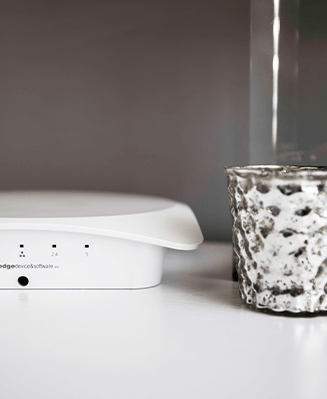
Elevate your connected lifestyle with our robust home networking solutions, designed to deliver seamless, lightning-fast connections throughout every corner of your home.

Build coverage around the places you connect
Your Internet plan and your home’s Wi-Fi solve different problems. The plan supplies a connection to the house; the router, switches, access points and cabling move that connection to your devices. Paying for a faster plan may not improve a weak wireless signal in a back bedroom or on the patio.
A useful network plan starts with the floor layout and the places where you work, stream and use connected equipment. Thick walls, floors, furniture and neighboring wireless networks can affect performance. Wireless communication also travels in both directions: an access point with a strong radio does not give a small client device a stronger transmitter.
For a Phoenix household, the coverage brief might include a home office, entertainment room, garage and outdoor seating. Each has different needs. Access points should be positioned and configured to support those locations, with coverage checked where devices are actually used. Adding more access points without considering channels and overlap can introduce interference instead of resolving the underlying problem.
Automate Your Home Today!
Transform your living space into a smart home, where convenience and efficiency are just a touch away.
What We Do
Computer Network and Wifi
A solid network is the backbone of today’s home. Whether you have a full home automation system or just kids with electronic devices, the network keeps everything humming. Professionally designed and installed quality products will assure that your network not only keeps up with today’s needs but assures reliable fast speeds long into the future. We design networks with the future in mind. If designed for the future, you won’t have to replace it next week.
Give stationary equipment a dependable connection
Wired connections are useful for equipment that stays in one place, including streaming players, desktops, compatible controllers and network cameras. They can reduce competition for wireless capacity and provide a stable path where a suitable cable route exists. Wi-Fi remains essential for phones, tablets and other devices that move through the home.
Access points also need a connection back to the network. Wired backhaul can be a strong choice when cabling is feasible. Wireless mesh may help in rooms where a cable route is difficult, but mesh nodes still need an adequate connection to one another. Placing a node deep inside an existing dead area does not give it a good signal to relay.
Include account access, updates and guest use in the plan. Separate guest or connected-device networks may be useful, but isolation must be designed around any discovery and control those devices require. The result should fit your actual household equipment, rather than a generic settings recipe that prevents your phone from finding the speakers or controls it needs.
Create a useful home network brief
Audio Video by Design has more than 20 years of audio video experience. Tell us how the network supports your work, entertainment and connected home so that the design addresses the right priorities.
Locate the problems and the busy devices
Note where connections drop, calls become unreliable or streams pause. Include the device, time of day and whether other household members are online. A video meeting needs consistent performance, while camera uploads and several simultaneous streams add their own demands. Room-by-room observations help distinguish a coverage problem from a service, device or capacity issue.
Map existing equipment and cable access
Bring your Internet provider details, equipment models and photos of the router, cabinets and network wall plates. Existing Ethernet outlets may help, but their wiring and connections need checking. Discuss equipment location, power and ventilation. For cameras or access points powered through Ethernet, switch capacity must also suit the number and power requirements of the proposed devices.
Plan ownership and everyday support
Decide who should hold administrator access and which household members need guest or regular access. Keep account recovery details available to the owner. Ask how updates, service changes and new devices will be handled, and how to describe a future problem when requesting help. A network is easier to maintain when its connections and responsibilities are understood.
What We Do
Our Audio Video Services
A fully integrated AV system requires an in-depth design procedure to assure that all of the components
and sub-systems work together properly. Without a proper design, you may be subject to hidden charges later.


AV Design and Installation
A fully integrated AV system requires an in-depth design procedure to assure that all of the components and sub-systems work together properly.
View Service


Home Theater
Love watching movies? Hate going to the theater? Let us show you how we can design and install a state of the art theater in your home.
View Service


Home Automation
“Everybody does Home Automation now. I can even get it through my alarm.” Sound familiar? Can you get Home Automation through your alarm?
View Service


Whole House Audio
Music throughout is an awesome addition to any home. Play your favorite playlist throughout your home while you clean.
View Service


Distributed Video
Every start watching a movie in the family room, then decide to finish it in the master bedroom? Video Distribution fixes this issue.
View Service


Surround Sound
Do you ever think that surround sound is “too loud”? We hear this a lot. However, surround sound is no “louder” than TV sound.
View Service


Surveillance and Cameras
We all hope we never need a camera to record an event around our home. However, far too often, we do.
View Service


Computer Network and Wifi
Whether you have a full home automation system or just kids with electronic devices, the network keeps everything humming.
View Service


Audio Video Service and Repair
Don’t leave your entertainment system to just anyone. Hire the experts to make it right.
View Service


High End Audio
We can design a system that will tickle your ear while stroking your budget.
View Service


Lighting Control
Let your imagination (and a little direction from us) lead you to lighting ecstasy.
View Service


HVAC Control
HVAC control can save you enough money every year to pay for its self, four times over.
View Service


Window Coverings and Motorized Shades
You can open one or all your shades, with just a simple button press.
View Service








Testimonials
What Our Customers
Say About Us
Home networking and Wi-Fi questions
Will a faster Internet plan fix slow Wi-Fi?
Only if the Internet connection is the limiting factor. Poor wireless coverage, interference, older client radios or a weak mesh link can reduce performance even with a fast plan. Comparing a suitable wired connection with performance in the affected room helps narrow the cause. The appropriate upgrade depends on where the slowdown begins.
How many access points does my home need?
Square footage provides a starting point, but wall materials, floors, placement and device needs matter too. Outdoor coverage may require its own consideration. The goal is useful coverage and capacity, with appropriate overlap and channels. A floor plan and on-site review are more helpful than assuming that every home of the same size needs an identical number.
Is wired networking still worth installing?
It can be, especially for stationary devices and access-point backhaul. Wiring during a remodel is often easier than adding routes through finished spaces later. The benefit depends on where devices will live and which connections they support. A practical design combines wired infrastructure where useful with wireless coverage for the devices that need mobility.
Can you extend Wi-Fi to a patio or detached area?
Coverage options depend on distance, obstructions, power, cable routes and the environment. Outdoor equipment must suit its exposure and operating conditions. A detached building may need a different connection method from a patio beside the house. Discuss where you need service and what you intend to use there before choosing an extension or additional access point.
What determines the scope of a network upgrade?
The number of coverage areas, existing cable condition, routing access, connected-device load and equipment requirements affect scope. A targeted change may resolve a single weak area; a larger redesign may be appropriate when the foundation is inadequate. Include any planned cameras, audio zones or automation devices so their network needs can be considered together.
Tell us where connections fall short and which devices need dependable service. We can discuss coverage, capacity and cable access around the way your household uses the network.
Phone Number
(480) 242-6459Office Address
30249 N. 124th Lane,
Peoria, AZ 85383
SEND US A MESSAGE


