
Commercial Access Control in Phoenix
Manage business entry with defined user permissions, door schedules and supported access hardware. Audio Video by Design coordinates the electronic system with your property and project teams.

Video Door Entry
Give the right people access to the right places
A business entrance may welcome customers during the day while a stockroom stays restricted. Staff, delivery drivers and cleaning teams can each need different doors and schedules. A commercial access control plan turns these operating rules into permissions that an authorized administrator can manage.
Audio Video by Design helps organizations in Phoenix, Scottsdale, Glendale, Peoria and Surprise plan electronic access and supported technology integration. From our Peoria office, we work through the door list, users, existing hardware and the way visitors arrive before defining a project.
Access control involves more than a reader and a credential. The opening, lock, closer, power supply, cabling and exit arrangement all affect the result. Qualified door, electrical and fire/life safety trades need to coordinate their parts of the installation, with project-specific approvals where required. The scope should name those responsibilities from the start.
Translate your operating rules into access groups
Start with roles rather than assigning every person an unrelated set of permissions. Office staff, receiving personnel and service vendors may use different openings at different times. Define the doors, valid hours and expiration rules for each group, then identify who can approve an exception.
Include weekend activity and temporary projects in that discussion. A contractor’s access may need an end date; a manager may need extended hours without permission to change the system. Keep the administrator’s role separate from an ordinary cardholder’s access so everyday entry does not imply control over everyone else’s permissions.
Build the door list and access policy first
Bring a floor plan, door photos, the current hardware schedule if available and a list of user groups. Include landlord requirements, current credentials, expected visitor traffic and the systems you want to retain. Identify who will approve permissions after the installation.
A complete proposal should state doors included, credential types, controllers, cabling, power, licenses, programming, trade responsibilities, testing and administrator instruction. Discuss expansion and recurring fees before selecting a platform. Contact Audio Video by Design to plan access control for your Phoenix-area business.
Review the complete opening before selecting equipment
Each door needs a hardware review. Record the door and frame condition, existing latch or lock, closer, cable pathway and available power. Check whether the opening reliably closes and latches during normal use. Electronic control cannot correct every mechanical problem with a door that does not shut properly.
Coordinate hardware modifications and electrical connections with the qualified trades responsible for them. Emergency egress, fire-rated openings and any fire-alarm interface require project-specific review and approvals by the responsible professionals and authority. Agree on the approved arrangement and installation responsibilities before ordering access hardware or changing an exit.
Choose credentials your staff can administer
Cards, fobs, PINs and supported mobile credentials create different issuing and support tasks. Consider whether staff carry a phone, whether visitors need temporary access and what happens when a credential is lost. A phone-based option can introduce compatible-device, app, account and subscription requirements.
Review the reader and controller connection as well as the credential. Supported OSDP Secure Channel can provide encrypted communication between compatible readers and controllers when configured appropriately. It is one part of the design; the complete credential technology, permissions, network access and update process still need attention.
Plan public entry, alerts and exceptional days
Decide which doors remain controlled throughout the day and which, if any, follow a public-entry schedule. Define holidays and unusual operating days explicitly. A schedule should reflect the actual business routine and the approved door arrangement, including who may change it when plans change.
On a supported system, door-position monitoring can identify a door left open longer than the configured interval. Agree who receives that event, what staff are expected to do and how normal deliveries affect the setting. An event log records system activity; it should not be treated as proof that a person did not follow someone else through the door.
Connect entry decisions with supported video and intercoms
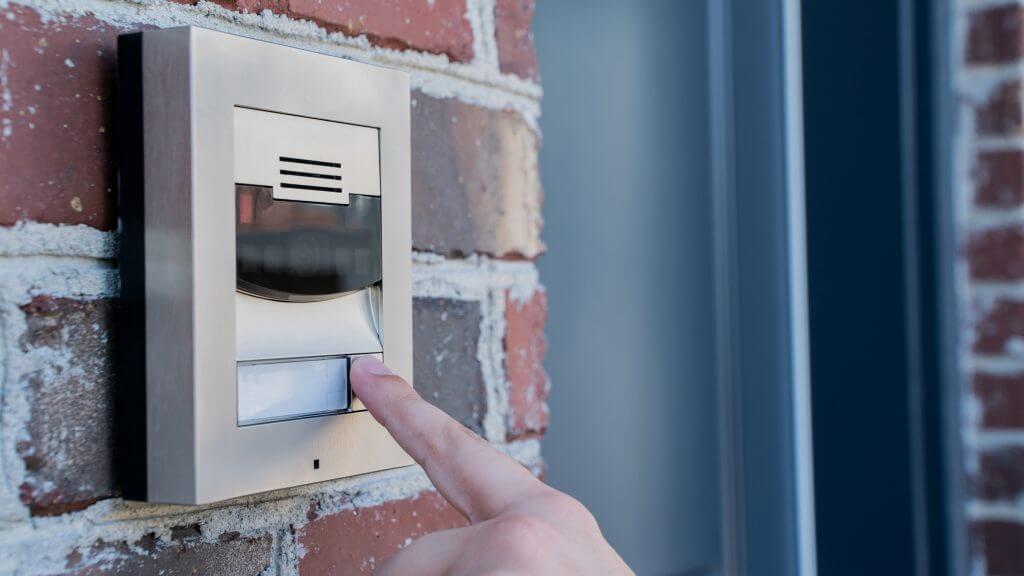
A receptionist may need to speak with a visitor before granting entry. A manager reviewing a door event may need the corresponding camera view. These are separate workflows, and each requires a supported connection between the access platform and the other equipment.
Specify who can release an opening, which screen or workstation they use and how the action is recorded. Review compatibility for exact models and software versions. Keep the visitor call, the person’s decision and the release command clear; receiving a call should not imply automatic permission to enter.
Commission the permissions and plan ongoing management
Testing should cover the agreed opening behavior and a sample of every access group. Coordinate network, controller and power-loss review with the responsible trades using the approved door design. Record the behavior staff should expect and who responds when equipment needs service.
Test real entry situations
Try a valid credential, a denied credential, an expired credential and the intended schedule boundaries. Review door monitoring and supported video links. Complete mechanical and exit checks with the trades responsible for those parts of the opening.
Give the administrator a working routine
Practice issuing and revoking credentials, changing a holiday schedule and finding an event. Assign account ownership, permissions review, license renewals and updates. Document backups and the support process, including how access is managed when a staff member leaves.









Testimonials
What Our Customers
Say About Us
Commercial access control questions
Can access control be added to an existing business?
Often, after reviewing each opening, wiring route, power source and existing lock hardware. Tenant spaces may also need landlord coordination. The project can involve door or frame work in addition to electronics, so a site review should establish which trades and approvals the installation requires.
Can we keep our current cards or fobs?
Possibly, but their technology and configuration must match the proposed readers and access platform. A card’s appearance does not show every compatibility detail. Review a sample, existing system information and the preferred issuing process before deciding whether credential reuse is practical for the upgrade.
How do we remove access when an employee leaves?
An authorized administrator disables or removes the person’s credential and relevant permissions using the selected platform. Define who receives the departure notice and performs that task. Check how changes reach the controllers, including any system-specific limitations while a device is disconnected.
Can cleaners or contractors receive temporary access?
Supported systems can assign defined doors, schedules and credential expiration. Set the access window around the actual task and nominate someone to approve it. Avoid handing out a shared permanent credential when the business needs to identify individual access and revoke it at the end of the job.
What happens during a power or network failure?
Behavior varies with the controller, power arrangement, lock hardware and approved door design. Ask which functions continue locally and how staff manage an outage. Coordinate backup power and door behavior with the responsible qualified trades; no single failure mode is appropriate for every opening.
Can a receptionist admit a visitor from a desk?
A supported intercom or operator interface may allow an authorized user to release a compatible opening. Define the conversation, viewing and release workflow and confirm the required hardware. Review permissions and test the exact action so staff understand which door they are operating.
Does an electronic lock establish code compliance?
No. Requirements depend on the opening, building use, exit arrangement and applicable project review. Qualified door, electrical and fire/life safety professionals should coordinate the relevant design and approvals. The access equipment specification alone does not establish that the complete opening meets every applicable requirement.
Use the door list and your daily operating rules to make the discussion concrete. Plan your access control project with Audio Video by Design.
Phone Number
(480) 242-6459Office Address
30249 N. 124th Lane,
Peoria, AZ 85383
SEND US A MESSAGE


